

Free pixel art editor · Runs in your browser
Pixel art and animation for your game
Draw sprites, animate them frame by frame and export sprite sheets your engine reads as they are: Godot, Unity, GameMaker, or any engine that takes JSON.
- Free
- No install
- No watermark
The editor
Everything a sprite needs
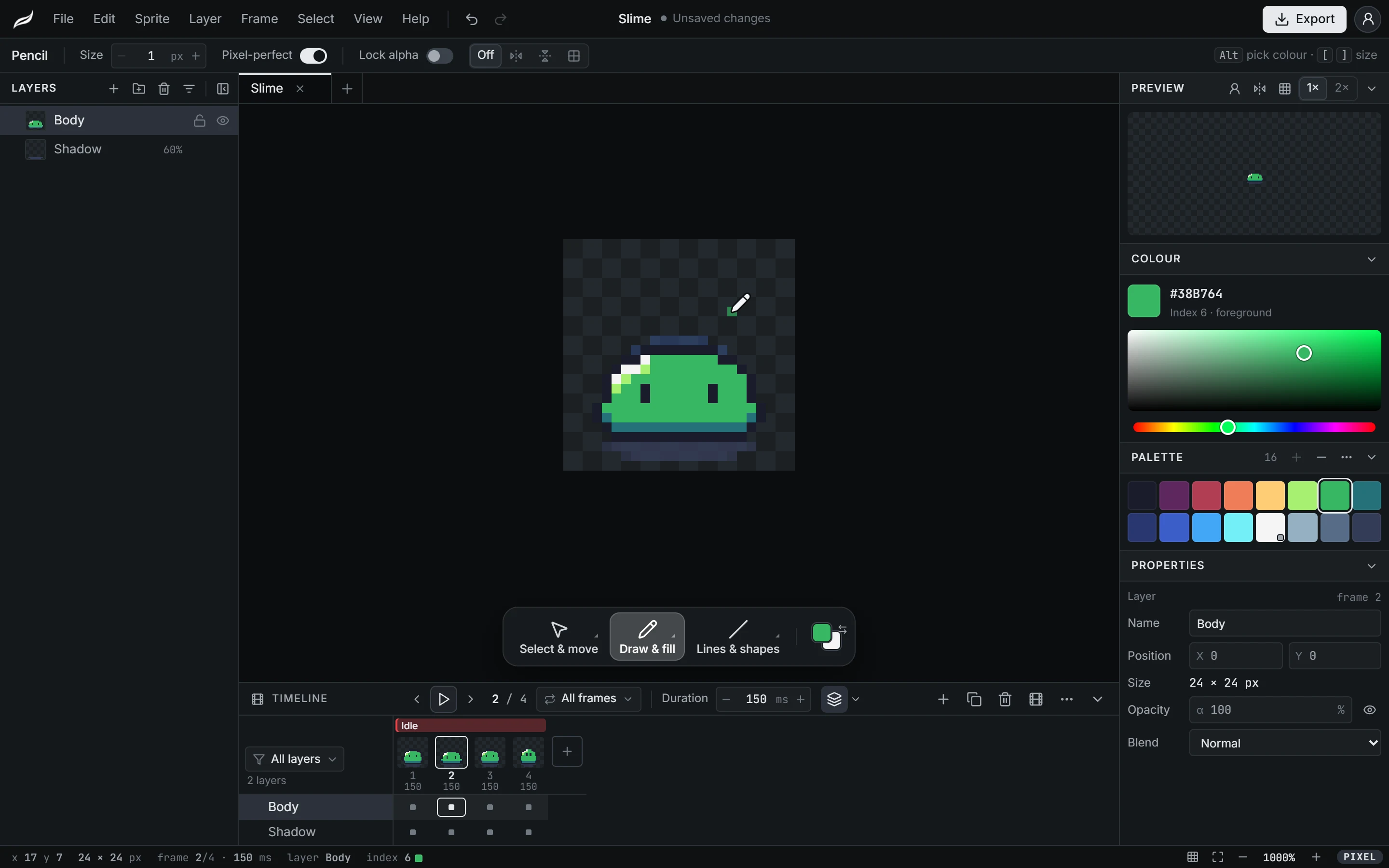
Built for the way game sprites are made: small canvases, few colours, many frames.
Pixel tools
A pixel-perfect pencil, lines, rectangles, ellipses and fill, with symmetry on one or both axes and lock alpha for recolouring.
Frame animation
A timeline of frames with tags, per-frame timing and onion skin. Keep drawing while it plays.
Layers and groups
Name, group, lock and hide layers. The timeline shows the ones that move, so long sprites stay readable.
Palettes
Start from PICO-8, Sweetie 16, Endesga 32 or Game Boy, build ramps and hue-shifted shades, and change a colour on every frame at once.
Tiles
A tile grid over the canvas and a 3 × 3 tiled preview that shows the seams before your level does.
References and imports
Draw over a reference image, open a PNG as a sprite, or cut an existing sprite sheet into frames.
Export
Sprite sheets with Aseprite-style JSON, GIFs and PNG frames, scaled 1× to 8× with no blur.
Sprites side by side
Keep a character’s sprites together as tabs in one .mori project file, sharing one palette.
Work that stays safe
A copy of unsaved work is kept in the browser and offered back if the tab closes. Recent projects are a click away.
Export
Straight into your engine
Export writes the sprite sheet and the file your engine reads, so the animation arrives sliced, timed and named after your tags.
- Godot 4
.tresA SpriteFrames resource with one animation per tag, ready for an AnimatedSprite2D.
- Unity
.png.metaThe sheet arrives as a sliced Multiple sprite with point filtering and no compression.
- GameMaker
_strip8.pngA strip named the way GameMaker splits it into frames on import.
- Any engine
.jsonAseprite-style JSON (hash or array) with frames, durations and tags, for Phaser and others.
Also GIF, single PNGs and PNG frames, at 1× to 8×.
How it works
From an empty canvas to your game in three steps
Step 1: Start a sprite
Pick a size and a palette, or start from a template for a character, a tileset or an icon.
Step 2: Draw and animate
Add frames, tag the loops and watch them play while you keep drawing.
Step 3: Export to your game
Write the sprite sheet and the file your engine reads, in one step.
Photo editing
A photo editor in the same workbench
For textures, key art and store screenshots, or any photo that needs work: layers, masks and retouching tools, with the shortcuts Photoshop users know.
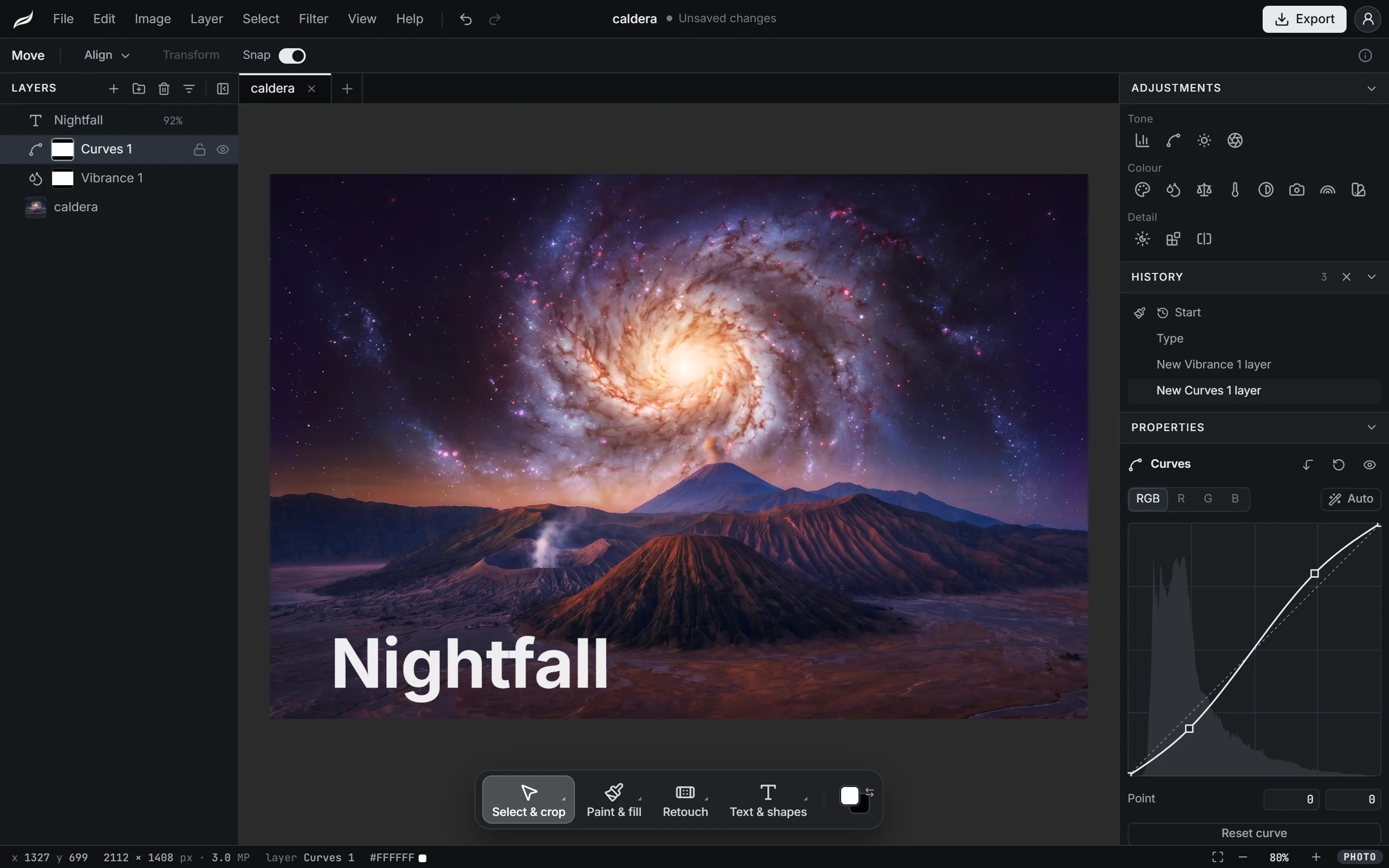
Adjustment layers
Levels, Curves, Hue/Saturation and twelve more, each on its own layer with a mask, changed or switched off at any time.
Retouching
Spot healing, healing brush, patch, clone stamp and content-aware fill, with dodge, burn, blur, sharpen and liquify.
Selections and masks
Quick selection, magic wand, lasso, and Select and mask for hair and soft edges, onto a layer mask so nothing is erased.
Text, shapes and styles
Editable text, shapes and a pen tool, with layer styles such as drop shadow, stroke and glow.
PSD files
Open a PSD with its layers, masks, adjustments and styles, and save a copy as PSD to hand the work back.
Game textures
Make a texture seamless, resize it to a power of two, or turn a photo into pixel art and carry on as a sprite.
Coming next
Where Moriqa is going
These are planned, not built yet; the roadmap shows what is being worked on.
- PlannedComponents and variants
Draw a part once and reuse it across sprites, with named variants such as colours or states.
- PlannedKeyframe animation
Move, rotate and scale parts between keys instead of redrawing every frame.
- PlannedIllustration projects
Vector shapes, paths and text on artboards, exported as SVG or crisp PNG.
Moriqa
Frequently asked questions
Is Moriqa free?
Yes. Everything in the editor is free, every export format included, and nothing is watermarked. There is no paid plan; if Moriqa helps you, you can support it on Buy Me a Coffee.
Do I need an account?
Yes, a free one. Sign in with Google, GitHub, Discord or email and the editor opens. Your projects are still saved as .mori files on your computer; the account is your profile, which sharing components with other artists will build on.
How do I get a sprite into my game?
Export writes a sprite sheet plus the file your engine reads: a SpriteFrames resource for Godot 4, a sliced sprite .meta for Unity, a named strip for GameMaker, or Aseprite-style JSON for Phaser and other engines. Frame timings and tags come along as animations.
Can I open Aseprite files?
Yes. Open an .aseprite or .ase file and its layers, frames, durations, tags and palette come in, ready to keep working. Moriqa's JSON export follows Aseprite's format, so tools that read Aseprite sheets read Moriqa's too.
Where is my work stored?
On your computer. You save .mori project files where you like, and the browser keeps a copy of unsaved work so it can be offered back if the tab closes. Nothing is uploaded.
Does it work on a phone or tablet?
The editor is built for desktop and laptop browsers, with a mouse or a pen tablet. The free tools on moriqa.com work on phones too.
What about photo editing and illustration?
Photo editing is here: the same editor has a photo mode with layers, masks, adjustment layers, retouching tools and PSD files. Illustration projects are planned; the roadmap shows what is being worked on.
Does the editor use AI?
Not for drawing or editing: the tools are yours to use by hand. The photo mode has two commands, Select subject and Remove background, that use the same model as the free background remover, and they say so before a picture is sent.
Draw your first sprite
The editor opens in your browser with a new sprite ready. Nothing to install; a free account is all it takes.